
Edge blending is today pause for thought – This follows well from projector stacking covered in a previous blog after all, it is much of the same fine detail adjustment but this time we achieve different results with very much the same side by side setup. Edge blending is a way of creating a seamless wide screen using two different projectors projecting half and half of a video or desktop image. It must be noted that for this example and due to the giant ultra wide screen created the single screen was brought closer as demonstrated in the image below.
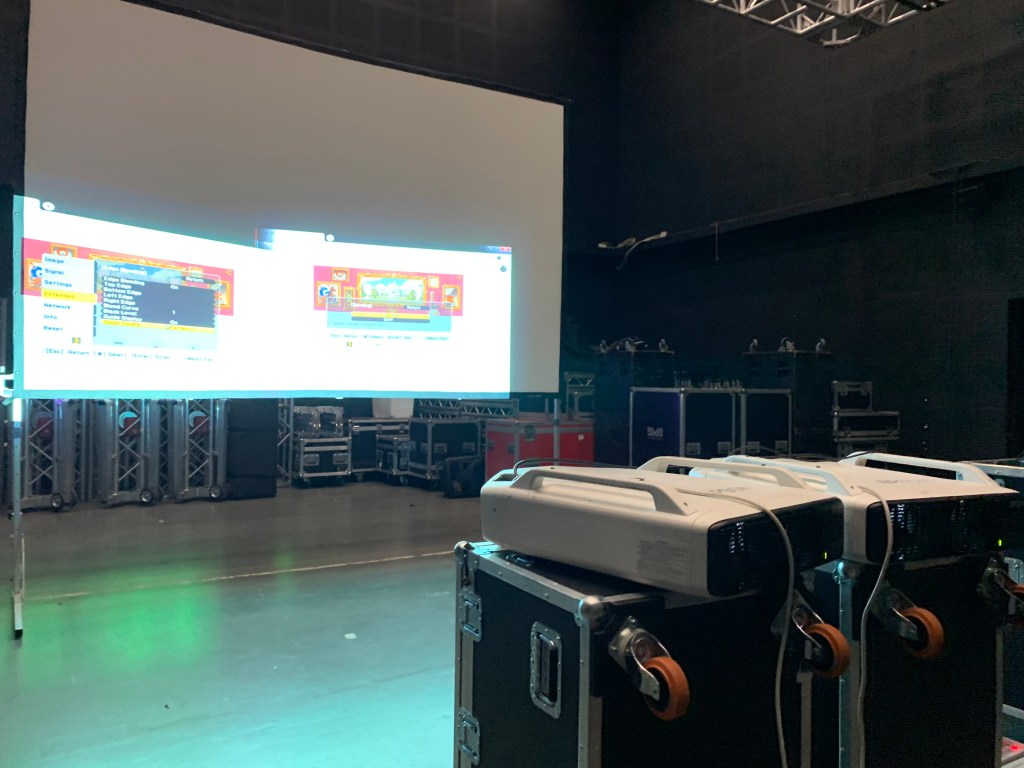
So we end up sending half an image to each projector and together they make one whole image, what a love story!
As with the projector stacking, as much manual placement as possible is key before diving into the projectors magical feature. These Epson projector are high specification and have a built in blend function and as a quick stop solution it is great but Resolume can do so much more fine tuning and for a professional application it just can not be beaten.
Resolume give the user guide lines that can be adjusted, these need to be matched up perfectly and depict the primary meet line where both image edges meet and then how much blend has been added. The image example above is a bad due to the setup not meeting requirement because of a lack in space!
This is another great tool for event companies where recreating a ultra wide screen is required without the use of expensive LED video wall.
 Video Streaming & Display Technology Blog